 Unblocked Games
Halo CE Mobile
Entry page open · Needs your files · Shooters
Halo CE Mobile is an unofficial browser project. The page says it is not endorsed by or affiliated with Microsoft. You can continue in the browser. Adding it to the home screen is optional. It does require your own Halo: Combat Evolved Xbox disc image.
- Project type
- Independent browser project for Halo CE Mobile; not the original publisher’s official game page.
- Own game files
- Needs your files. Read the requirements on the destination before loading local files.
- Access status
- Entry page open. Availability in every browser or network is not guaranteed.
- Browser guide
- Input, storage and first-load notes
- Last checked
- Project source
- Project landing page
What this browser project offers
The page describes Halo: Combat Evolved rebuilt from its decompilation to run in the browser. It shows campaign and multiplayer from your own disc image, optional online matchmaking, custom games, split screen for up to four players, System Link, and remote co-op.
An account is for online features: a gamertag, ranked playlists, custom lobbies, friends, messages, and clans. The page says the campaign, split screen, and System Link do not need one. Do not read that as every mode being account-free, and do not read it as every mode needing a login.
Startup and your files
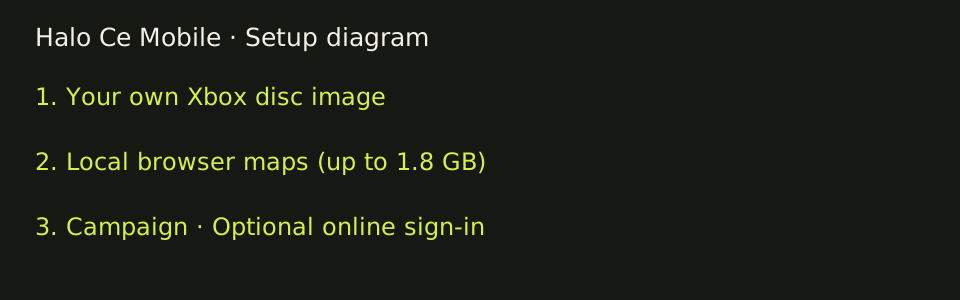
Open https://hcemobile.com. Choose Continue in the browser, or use the optional iPhone, iPad, or Android install steps. The install is a home-screen or browser install prompt. It is not a required launcher, and this directory does not host an app binary.
Choose your own Xbox disc image, .iso or .xiso, any version the page accepts. The maps folder is copied into local storage, up to 1.8 GB, and the page says nothing is uploaded. You can delete the disc image after that copy. A direct URL to your own image can be used. The page says Google Drive and similar sharing pages do not work. Several disc images can be stored, each with its own saves.
We do not host, mirror, or link a disc image.
Input shown on the page
Settings include a touch-controls checkbox and two touch layouts: Modern, and Original Xbox controller, plus an edit-layout control and aim sensitivity.
A features blurb says the touch layouts are editable and lists Xbox, PlayStation, Switch Pro, MFi, and Backbone controllers, or keyboard and mouse. That is the page's claim. This directory did not operate those devices.