 Unblocked Games
Browser setup
These notes come from entry pages checked on 10 Oct 2026. They are not a promise that a project will run on your device, and they are not instructions for getting around a school or office network.
- Browser access
- Use the project’s own browser entry.
- Installation
- No separate desktop launcher is recommended here.
- Last checked
- File requirements
- Check each destination before supplying game data.
- Sources
- surfd.net · hcemobile.com
Pointer lock
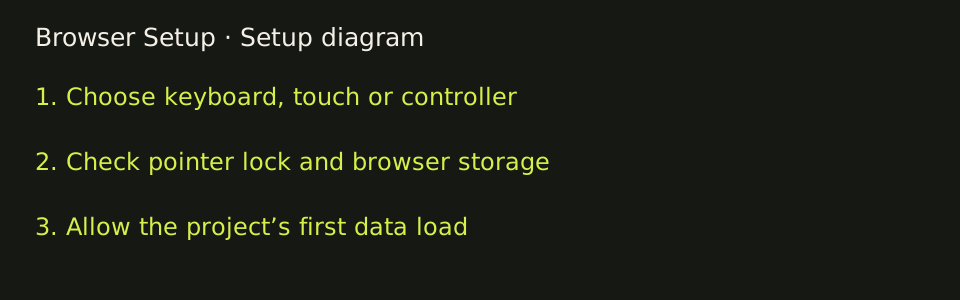
Some browser games capture the mouse so looking around does not also move the cursor. Surfd says “Click Play to capture the mouse.” Escape opens its menu. If a browser asks before locking the pointer, that prompt is the browser’s own control. Release the mouse with Escape when you need the cursor back.
Storage
Several projects keep data in the browser rather than in an account on this site. The Vice City WASM page stores an imported archive with OPFS and a service worker, and says the import works offline afterward. Its audit also records that a private or incognito window may not keep those files. Halo CE Mobile copies a maps folder, up to 1.8 GB, into local storage and says nothing is uploaded. PES 6 Web Online Port says settings, saves, and option files stay in that browser. The Quake-family entry pages can store the player name in local storage.
Large first loads
Return to Castle Wolfenstein warns that the first load downloads about 380 MB and is cached after that, and it recommends desktop Chrome. Urban Terror says the first load downloads game data, then caches it, and also recommends desktop Chrome. PES 6 offers a setting to fetch about 300 MB of its own data in the background. The skate fan-game page says the first load is the slow one. Those downloads are the projects’ own browser data, not files this directory hosts. A slow first visit is not the same thing as a required desktop launcher.
Touch and keyboard
Surfd states desktop, keyboard, and mouse, and prints WASD, Space or wheel to jump, Shift to duck, mouse look, and Escape for the menu. PES 6 names a keyboard, a USB or Bluetooth controller, and touch controls, and it draws an on-screen pad. Halo CE Mobile displays touch layouts plus keyboard, mouse, and several controllers. Quake III’s entry says it now has mobile and gamepad support. Quake II’s script comments that phones and tablets use shared touch controls; that game page was not opened here. Urban Terror’s visible warning still recommends desktop Chrome.
Nothing in this list was play-tested. A control printed on an entry page can still fail on a given browser. Read the project page, then check whether it needs your own files.
Before you start
Before opening a project, compare its stated controls with the device in front of you. For a keyboard-and-mouse surf project, a touch-only phone is not equivalent to a desktop setup. For a project that advertises touch controls, first look for the on-screen input layout at its own destination. A controller-support statement also does not prove that a particular controller works in a particular browser. Try the project’s own menu and read its input instructions rather than assuming every port uses the original console bindings.
If a loading screen persists, distinguish a large first data transfer from a request for your own files. RTCW explicitly describes a roughly 380 MB first load, while Halo CE Mobile asks for a locally supplied disc image. Repeatedly reloading during a large transfer may not help. Read the destination’s status text and wait for its own loading process to complete. Do not install an executable just because a third-party advertisement presents a download button. This directory is designed around web entries and excludes projects with a mandatory launcher.
When returning to a project, use the same browser profile if you want to retain data that the project says it stores locally. Before clearing that project’s site data, check whether it contains an imported archive, settings, or a save you want to preserve. The directory and a separate web project are different sites; a directory bookmark does not back up the other site’s storage. Follow the destination’s own save or export instructions where available.